TONE ASSIST / GUITAR RIG COMPANION
A sound in mind.
A rig in reach.
Describe the guitar tone you’re chasing.
Build the chain. Make
it yours.
MAC APP + AU / VST3 0.4.1 · DEVELOPMENT BETA
NEW / THE SESSION ROOM
Hear the rig.
Inside the song.
Three arrangements, from 54 seconds to 3:24. Every guitar and bass through Tone Assist, with four metal presets: modern, thrash, death and sludge. Switch the whole band or mix presets per channel, then shape the sound with live EQ and effects.
Open the session room Or compare 13 guitar riffs below ↓ Explore 72 presets, also available inside the app ↗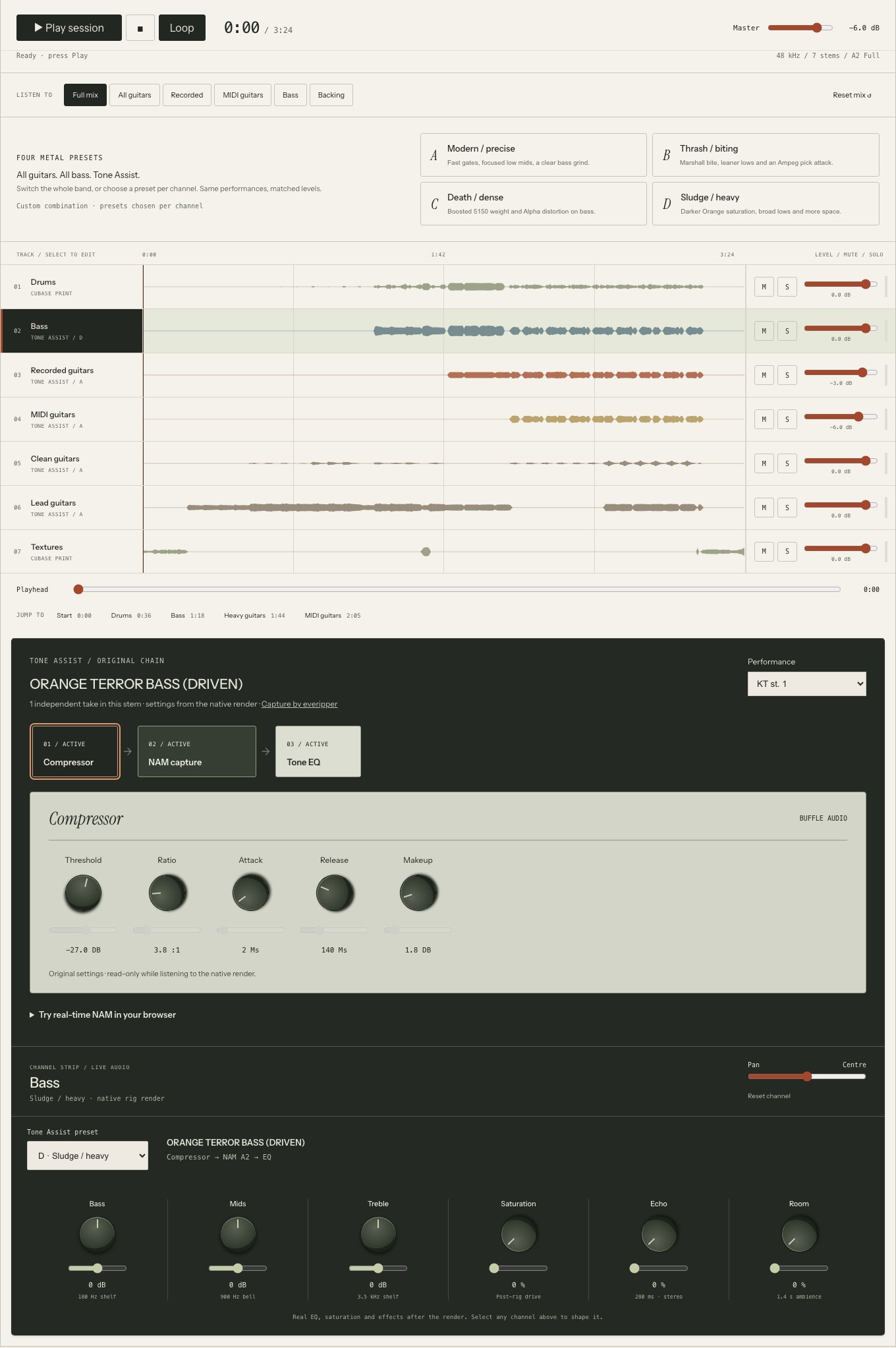
THE LISTENING ROOM / 13 RIFFS · 13 TONES
Your riffs.
Their own voices.
Thirteen fresh guitar performances. Nine rhythm tones, spacious crunch, ambient clean, octave-fuzz chaos and a high-gain lead. Switch between the original DI and Tone Assist without losing your place.
01 / RHYTHM
The Veil · Riff 1
Three native input levels, before the chain. Processed levels matched; original DI remains the reference.
Loading the demo index…
Fortin Meshuggah capture with a tight gate and leaner lows.
Capture credits & recording details
Real DI. Real processing. Rendered offline through Tone Assist’s native engine, with NAM A2 Full and the app’s built-in effects. These are authored tone examples; the browser plays recordings.
A fairer comparison. The original DI and processed tone share the exact performance and are matched by integrated loudness. Each riff has its own rig. Complete notes and effect tails are preserved, with no repeated playing.
01 / FROM WORDS TO A RIG
Start with a feeling.
Stay in control.
Heavy and percussive. Barely breaking up. Clean with room to breathe. Give your companion a direction, then shape every block yourself.
 TONE ASSISTINTERACTIVE VISUAL PREVIEW · NO AUDIO
“Make me a tight, percussive metal tone.”
GATE → DRIVE → AMP → CABDrive
Push the amp, or pull it back. Your call.
The Mac app builds with your available captures. This browser preview demonstrates the controls; it doesn’t generate a tone or process your guitar.
02 / KNOW YOUR SIGNAL
More than a
file name.
Find the amp. Meet the maker. Know what was captured.
Browse TONE3000 and your local collection with photos, hardware names, creator notes and exact model selection. Amp-only, pedal or full rig: see what belongs in your chain.
Explore the TONE3000 library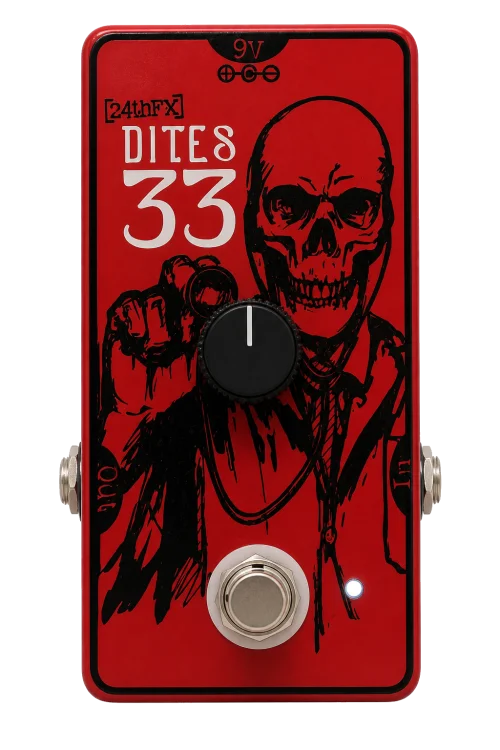
FROM THE BUFFLE ARCHIVE
Dites33
Boost pedal
- Hardware
- 24thFX Dites33
- Capture type
- Pedal / NAM
- Controls
- Input · output · mix
- Provenance
- Creator & source notes
An example of hardware presentation. Source information stays separate from the controls you can edit.
03 / TRUST YOUR EARS
Keep the first idea.
Try the next one.
Store the complete rig in A. Change the gain, swap a capture, reshape the chain. Store B and switch back. No rebuilding the sound you liked.
04 / BRING YOUR OWN CHARACTER
That pedal
on your floor?
Bring it along.
Quick Capture guides the journey from your hardware to a NAM A2 model, inside the standalone Mac app.
IN DEVELOPMENT · PHYSICAL CAPTURE NEEDS VALIDATION
OUT→REAMP
BOX→YOUR
PEDAL→INTERFACE
IN
-
01
Prepare the path
Choose a hardware and interface profile, document the settings and follow the wiring diagram. Manual entry covers gear beyond the current profiles.
-
02
Record. Train. Keep it local.
Verify the official NAM stimulus, record the hardware response and train with NAM A2 on your Mac. A compatible Python trainer is required.
-
03
Compare with the original
Inspect alignment and residual error, then compare level-matched excerpts. Measured results and listening guide the next take.
THE WORKBENCH / FEATURE GUIDE
The whole rig.
Under your hands.
A companion to get you started. Familiar tools to finish the sound. Here’s what lives inside the current beta.
01
Describe, build, refine
+
Ask for an artist-inspired sound, a genre or a character. Review an editable proposal, keep particular blocks locked, and ask for a variation. Built-in recipes and the bundled local model plan offline. Set up the verified Qwen model in Assistant settings, or use the offline installer. Ollama, LM Studio and compatible cloud providers are optional.
The assistant selects available compatible captures. It does not invent a model, reproduce an artist’s exact recording or send your guitar audio to the language model.
02
Eighteen effects. Sixteen blocks.
+
Dynamics, drive and fuzz, octave fuzz, octaver, pitch bend/drop, ring modulation, wah, tremolo, phaser, flanger, chorus, bit crushing, EQ, delay and reverb. Add, move, bypass or remove blocks; adjust capture input gain, output and wet/dry mix. Keep an amp-only capture paired with a cabinet IR, or use an already captured full rig.
NAM A2 Full / Lite and normalization controls are available per compatible model. Spectral pitch tools currently add about 64 ms of wet-signal delay.
03
Hardware you can reach for
+
Double-click a chain block to open its hardware view. Turn controls directly, type a value or use keyboard and fine adjustments. Source photos and original Buffle surfaces make the chain easier to recognize. Browse the author’s captured model variants and settings notes from the hardware editor.
A static capture preserves the captured hardware settings. Editable input, output and mix controls are not a recreation of every original amp knob.
04
A gear shop with provenance
+
Search TONE3000 by hardware name and capture type. Browse photos, creator notes, original gear information and licenses, then choose the exact model in a capture pack. Import local NAM and IR files and reuse saved captures offline.
Amp, pedal, cabinet and full-rig information remains attached to the model. TONE3000 login is required for authenticated library access.
05
Routing beyond a straight line
+
Drag blocks freely in the workbench. Split into two paths for multiple amps and cabinets, with pan, solo, polarity and balance. Connect the output of any source block to the input of any block on the other path. Open Routing & EQ for branch mixing, phase and timing controls, stereo spread and global tone shaping. Input/output meters and the main-toolbar chromatic tuner help you set up before playing.
The standalone app exposes device, channel and buffer settings; a DAW manages the plugin’s audio device.
06
Save it. Compare it. Get it back.
+
Save and load presets, undo or redo edits, and restore the rig with your DAW session. Store two complete rigs in A/B, including their captures, settings and routing, and keep both copies when the app or DAW session reopens. Host automation exposes block parameters to your DAW.
The app’s rig A/B is a snapshot comparison. The website demos are separately loudness-matched exports; automatic loudness matching is not claimed for live rig A/B.
07
Capture, train and check
+
Quick Capture brings hardware and interface profiles, manual setup, wiring diagrams and calibration notes together. Verify the official NAM stimulus, select physical send/return channels, record, inspect clipping and invalid samples, then train locally with NAM A2.
Follow training progress, cancel a job, render the result and import the model. Compare aligned, level-matched reference and model excerpts with waveform, correlation and residual-error measurements.
Standalone beta workflow. Supported profiles are curated, a compatible Python trainer is required, and physical capture accuracy still needs hardware validation. No “100% identical” score is promised.
08
Mac app, AU and VST3
+
Play through the standalone app or use the same native engine in your DAW. The Apple Silicon development installer packages the Mac app, Audio Unit, VST3 and local AI runtime. The offline installer also includes the verified language model. Provider credentials and the TONE3000 session use macOS Keychain.
macOS 14+. Development beta; the installer is not notarized. See the release notes for tested scope and current limitations.
YOUR EXISTING SOUNDS
Old preset. New signal path.
Inspect POD HD and Line 6 L6T/X3 presets, see the gear and stored settings, then choose NAM captures and effect replacements. Review the order and A/B paths before loading the reconstructed rig.
Source values stay visible for reference. This is assisted reconstruction, not exact conversion. Axe-Fx Standard/Ultra inspection is inventory-only. See the import workflow ↗
THE CURRENT BUILD / 0.4.1
For the
tone chasers.
Permanently free and open source. Start with eight original Buffle voices, four cabinet responses and 24 complete rigs. Shape them in Studio, Pedalboard or Compact view, or connect a more elaborate rig in the graph editor. This development build is still undergoing live audio, DAW and distribution qualification.
Request the Mac beta
Public download follows signing and distribution checks.
The
current development installer is not notarized.
Before you plug in.
- System
- Apple Silicon · macOS 14 or later
- Formats
- Standalone · Audio Unit · VST3
- Models
-
NAM A2 / WaveNet + cabinet IRs
Original starter sounds included. Add your captures or select from TONE3000. - Assistant
- Bundled offline runtime + Qwen3.5 4B
16 GB+ recommended for the current assistant. M1/8 GB remains a qualification target. Factory sounds play without AI setup. - Quick Capture
-
Standalone app + suitable audio interface
Physical routing and levels need calibration. - Tested in software
-
Native processing, UI and capture-helper tests
VST3 passes pluginval strictness 10.